
Accessing Adobe Analytics begins through the Adobe Experience Cloud, where users authenticate and navigate to the Analytics product. This process ensures secure access and personalized visibility of available Adobe tools. The following guide outlines the step-by-step login procedure for new learners.
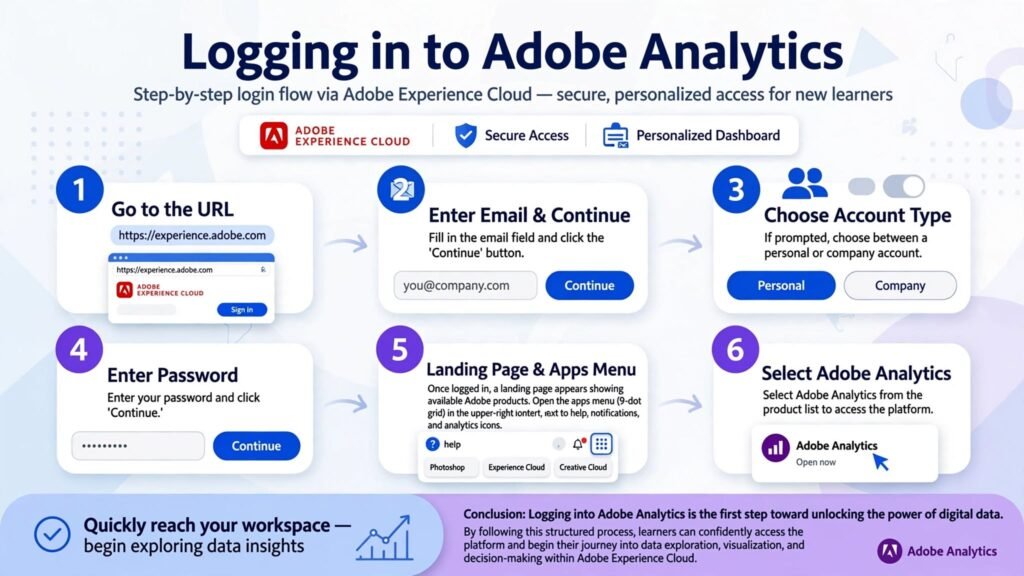
Login Steps
| # | Detail |
|---|---|
| 1 | Go to the URL: https://experience.adobe.com |
| 2 | Fill in the email field and click the “Continue” button. |
| 3 | If prompted, choose between a personal or company account. |
| 4 | Enter your password and click “Continue.” |
| 5 | Once logged in, a landing page appears showing quick access to available Adobe products. To view all products, open the apps menu from the upper-right grid icon (next to the help, notifications, and analytics icons). |
| 6 | Select Adobe Analytics from the product list to access the platform. |
🧭 These steps streamline entry into Adobe Analytics, ensuring users can quickly reach their workspace and begin exploring data insights.
Conclusion
Logging into Adobe Analytics is the first step toward unlocking the power of digital data. By following this structured process, learners can confidently access the platform and begin their journey into data exploration, visualization, and decision-making within Adobe Experience Cloud.